
Docs›Settings and administration
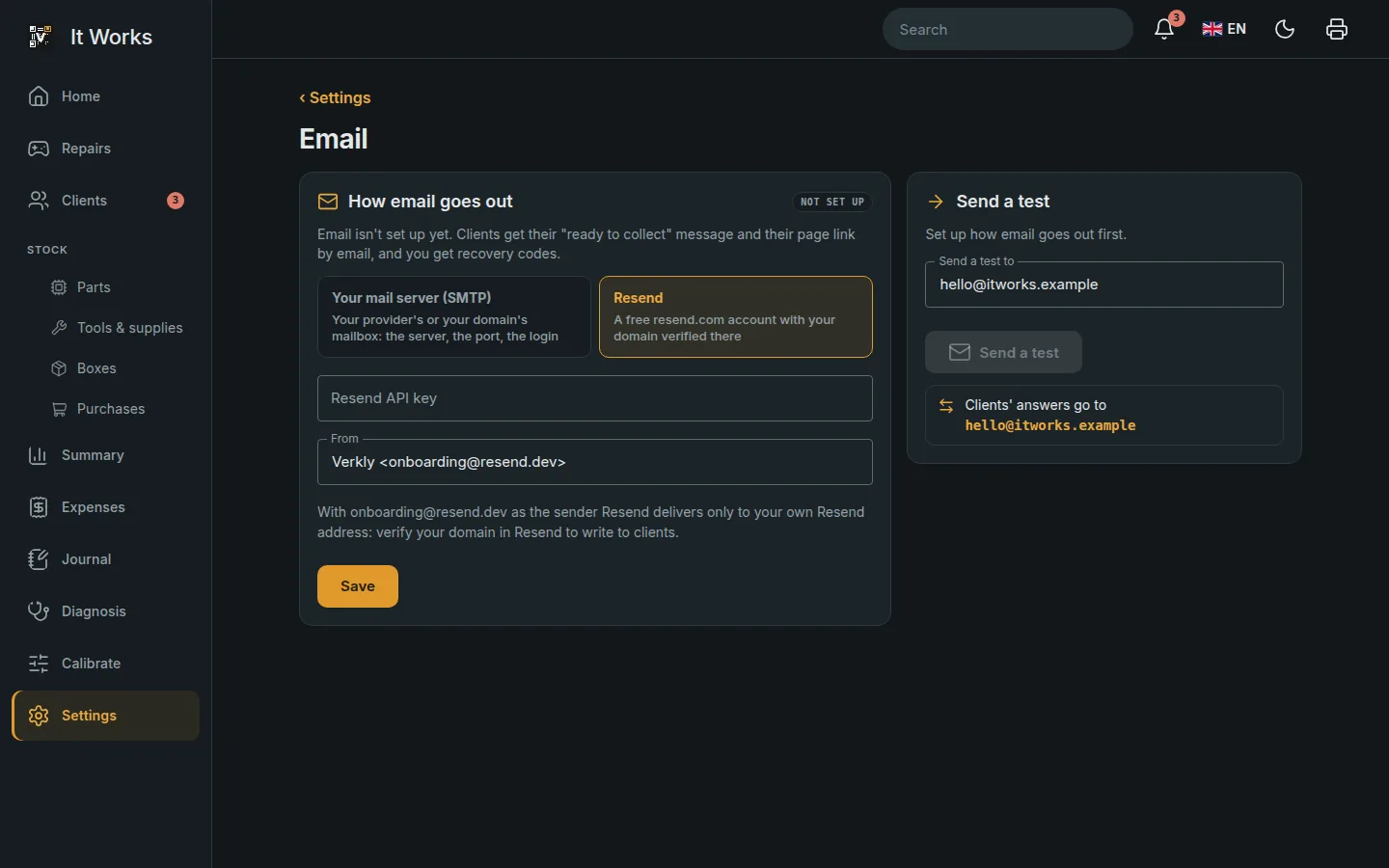
Verkly sends a few emails: to your clients about their repair, to new users their link, to you a recovery code. Settings → Email (owners only) picks the way out and proves it with a test.
Three ways out
- Resend: a free resend.com account. Paste the key (it is checked before it is saved;
only its last four characters are shown again) and a From address. With Resend's own
[email protected]as the sender it delivers only to your own Resend address: verify your domain in Resend to write to clients. - Your mail server (SMTP): your provider's or your domain's mailbox: server, port, STARTTLS (587) / SSL (465) / none, login and password (never sent back to the page), and the From address (the login when blank). A refusal from the server comes back as a readable message.
- Verkly's mail, hosted workshops only and their default: sent from
[email protected]under your workshop's name, nothing to set up, up to 100 messages a day.
Until one of them is set up, nothing is mailed: the client's link is shown for you to copy, and recovery by email is not offered. Send a test to an address of yours sends a short message the way clients get theirs.
What Verkly mails
- Follow your repair: the link to the client's status page, when you press Email it to … on a client's card (it needs the client's email).
- Ready to collect: sent by itself when a client's repair turns ready, if the client has an email and its Email switch under Tell the client on Settings → Workshop & documents is on (it is by default). The card records when it went.
- A new user's welcome link and a reset link, when that user has an email (Users and roles). The page shows the link as well.
- Recovery: a 6-digit sign-in code to the bound recovery email when you sign in with a recovery code and have no authenticator at hand, and a warning after a recovery sign-in or a new passkey. The recovery email is bound on Settings → Sign-in & security and is the workshop's, not per user.
- Repair requests: a confirmation to a client who asked through your form, and your note when you decline (Talking to clients).
- On the hosted plan, Forgot your password? on the sign-in screen is answered by Verkly's own service, not by this setting.
The subject and text of both client emails are yours to change on Workshop & documents, with placeholders and a live preview; they go out in the language you chose for your papers. Telegram and push messages are a different thing: see Notifications and Telegram.
Where answers go
Every email to a client carries your workshop's email (Workshop & documents → How clients reach you) as Reply-To, so a client who presses Reply writes to you, not to Resend or to Verkly. The Email page says where answers go, or asks you to add the address when there is none.
When a mail doesn't arrive
- The test says the key was refused: a wrong or revoked Resend key; nothing was saved.
- Resend answers that the domain is not verified: finish the domain in Resend, or send from
[email protected]to your own address only. - Your SMTP server refuses: check the port and security pairing (587 with STARTTLS, 465 with SSL) and whether the provider wants an app password.
- No internet: the mail waits for nothing; it fails with a message and you can send again later.