
Tools, supplies and expenses
What the workshop pays for that is not a part of a repair lives in two places. Tools & supplies (under Stock) holds things: a soldering station, tips, flux, wick. General expenses (behind More on a phone) holds money without a thing: packaging, fees, parking. How each counts in the books: How money is counted.
Tools and supplies
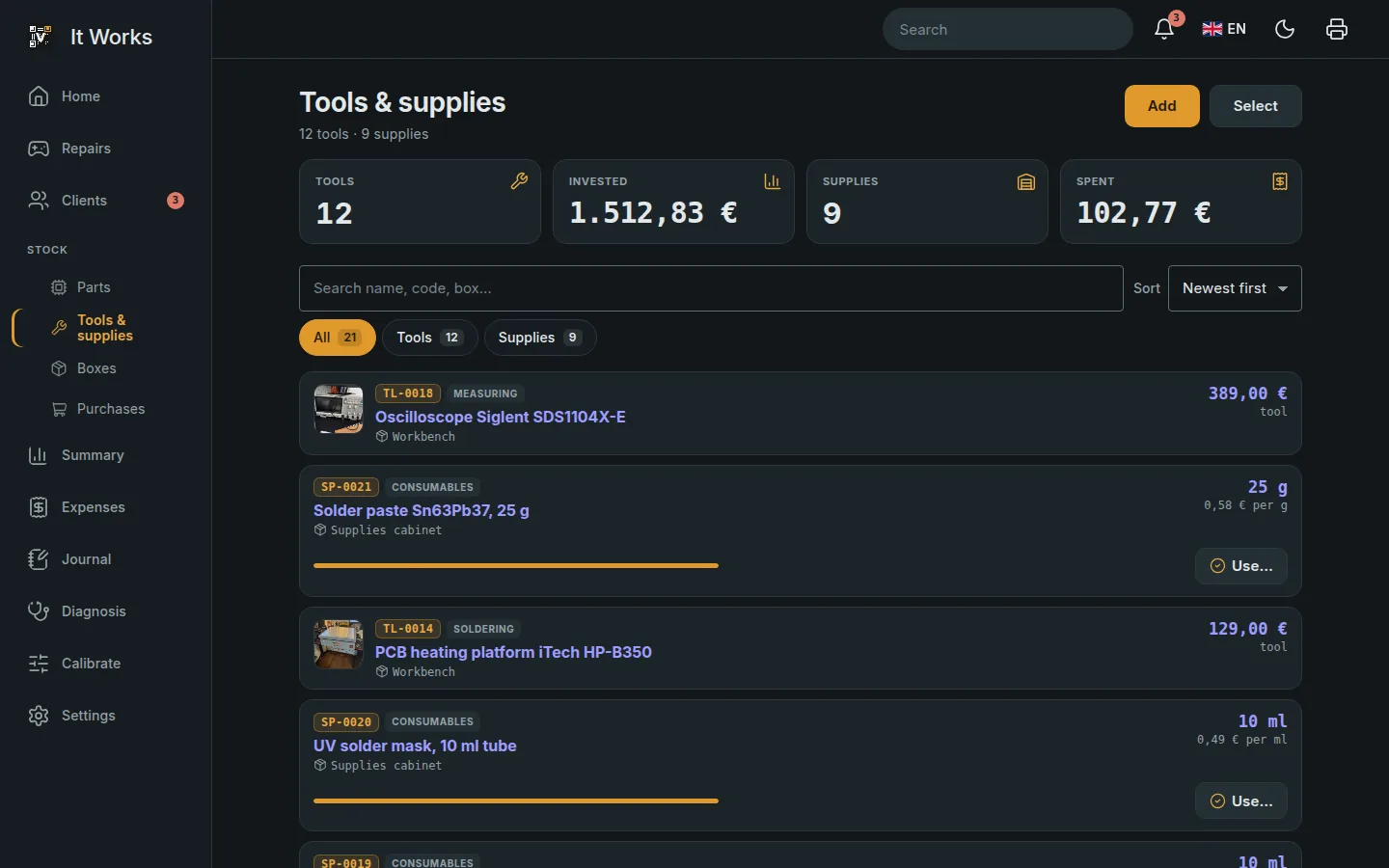
- A tool (
TL-) stays in the workshop: it is an investment, and Summary shows how much of what the tools cost the workshop has earned back. It is never used up. - A supply (
SP-) is used up: its whole cost lands in the month it was bought. Taking some is a note in its log and never moves money.
Press Add, pick Supply or Tool (two big choices; a new one is a supply unless you pick Tool), then the name, how many and the price, where it lies. Save and add another keeps the form open for the next. Things bought together can come in a purchase instead: a parts line of the Type Tool or Supply makes them (Purchases); a link fills them in fast (Adding things fast). The list has tiles (Tools, Invested, Supplies, Spent), the chips All / Tools / Supplies, a search, a sort and Select for printing labels or Group into purchase (grouping). The sort you pick stays after a reload (it is kept on this device).
A tool or supply bought in another currency takes the same Currency row as a part: pick the currency, type the amount you paid, and the rate comes from Money and rules (or type your own), so the euros are worked out for you and kept with the rate of that day. A shop link that shows its price in dollars switches the form to dollars by itself. The card says what was paid, like Paid 14.99 USD @ 0.9 ≈ €13.49. The rate field fills in by itself with the European Central Bank's rate of the purchase day when you give none and the settings have none.
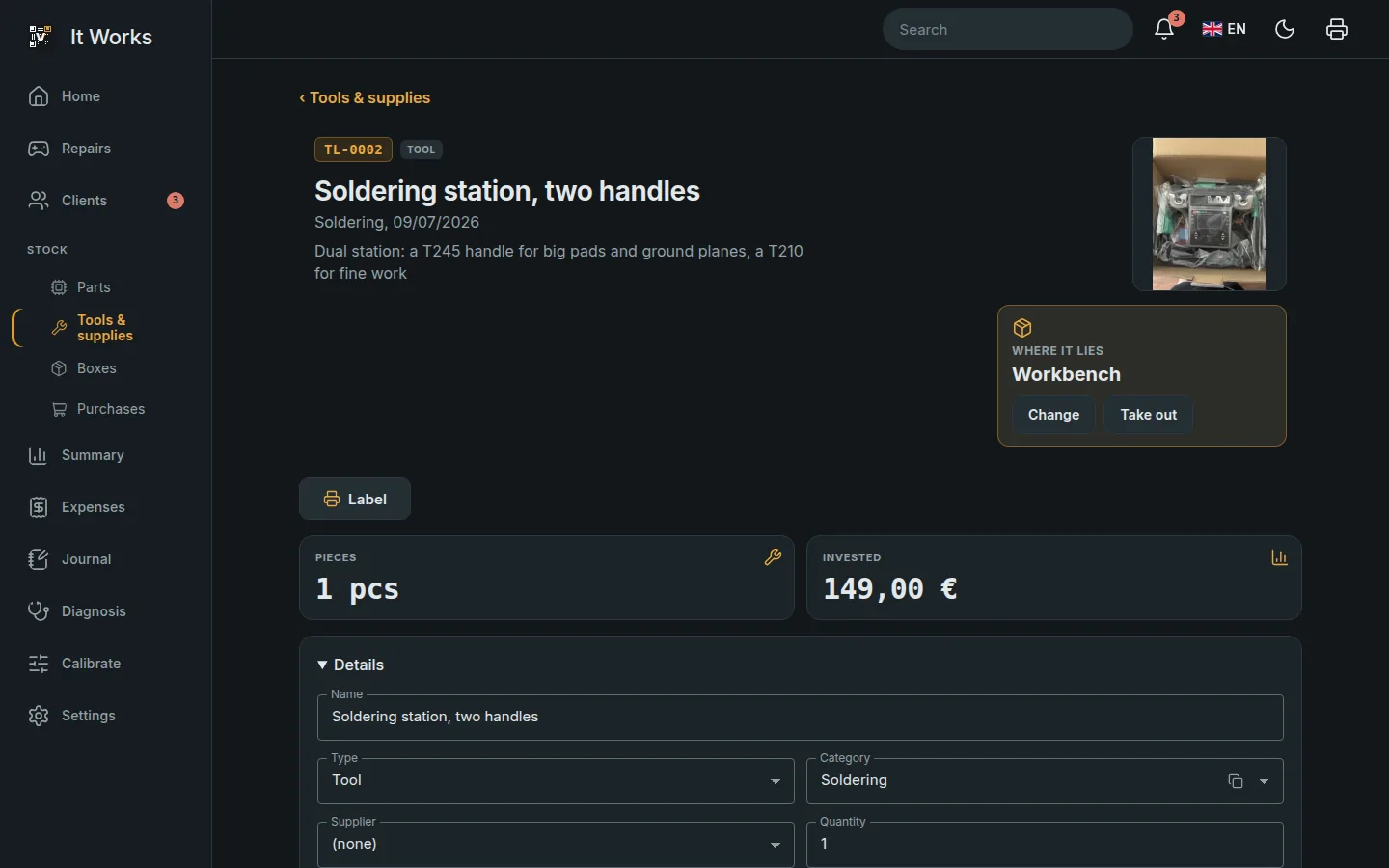
The ★ photo sits small in the top right corner of the card's head, outside the folded blocks, and a tap opens it large. Photos is where you upload more and pick another ★ one.
Units
A supply is counted in pieces, or like a part in metres, grams or millilitres (Counted in on the form, the card and a purchase Supply line): you buy 50 g of solder paste and use 0,5 g at a time. Pieces stay whole, the others take three decimals. The price per unit follows (€0.80 per g), and on the list a supply not in pieces has Use…, which asks the amount. A tool is always in pieces. The unit can't change once the supply has usage: undo its entries first.
Packs
Two tubes of UV glue, 10 ml each, bought together: on the add form type 10 ml as the quantity and 2 in Packs (2 × 10 ml, each its own label). Verkly makes two supplies of 10 ml, each with its own code and label and half the price. Open one, use it, and the other stays untouched on the shelf. After saving, the list offers Print 2 labels, On paper and Done. Packs of a tool make that many tools.
Entered 20 ml before you knew it was two tubes? On the supply's card, Split into packs… (in the Use form) asks How many packs and shows the result as you type (2 × 10 ml, 5,01 € and 5,00 €); a count that doesn't divide the amount is refused with the counts that would. Split keeps the card as the first pack and adds the others, each with its own code and label, the price shared evenly (the cents add up), then offers Print 2 labels, On paper and Done. What was already used stays on the first pack, so it must fit in one pack. A supply that came with a purchase stays in step with it: the purchase line then reads 2 × 10 ml. A tool can't be split, and only the owner sees the button.
Using a supply
On the card, Use takes how many and the day, an optional note, and logs it; Undo on an entry takes it back. The list's Use 1 logs one piece in one tap. Two taps at once never take more than is left ("Only 3 left"). A supply from an order still on the way can't be used yet. After Use 1 an Undo shows for a few seconds.
Count a supply
Counting what is on the shelf (a pack of 100 blades with 90 left)? Count… in the card's Use form asks how many are there now, starting at what Verkly expects. Fewer is logged as used ("Counted: stocktake", with Undo in the log), more raises the quantity. The money stays as it is. Counting a whole box does the same for everything in it (Count this box).
Used up
The pack of liquid metal is finished but you want to keep it in the books? Used up in the card's Use form (an optional note) logs everything left as one entry. It shows 0 left, sinks dimmed to the bottom of the list and is offered for nothing, while its price stays exactly where it was. Undo the entry to bring it back. Parts lots have the same button (Parts).
The card on a phone
On a phone a tool's or supply's card shows Use on… (a supply: Use) near the top, and Details stays folded until you open it. The bar at the foot holds only Save changes; Clone, Make it a part… and Delete sit in a row above it. A tool of one piece shows its price once.
Category and supplier lists
Category and supplier are drop-downs of what you entered before, the most used first, with + New category… or + New supplier… at the end, so AliExpress or Flux is picked, not typed again (typing in the drop-down's search offers to add what you typed). The supplier list is shared by tools and supplies, parts and the shop of a purchase (Bought from, with + New shop…), and a device's Bought from uses the same list of shops. Well-known shops (AliExpress, eBay, Amazon, Kleinanzeigen, Temu) are offered before you used them.
The category follows the type: a supply's own word is Consumables, a tool's Tools. Switch a supply to a tool and Consumables becomes Tools (and back); a category of your own stays.
Changing the categories
Settings → Catalog and categories → Tool & supply categories keeps the list. Each category shows how many tools and supplies use it; tap the count to open Tools & supplies filtered to that category (the chip with × shows every category again). Type over a name and press Rename: every tool and supply in it follows, and renaming onto a name that is already there merges the two, whatever the case, so a stray "Tool" goes into "Tools". + Category adds one before anything uses it; × removes a category nothing uses. Consumables and Tools are what a new supply or tool starts with, so they always stay: Consumables keeps its name (rename another category onto it to merge them), and renaming Tools makes the new name the tools' own word, so new tools start there and the money stays where it was. Only the owner changes the list; a technician sees it.
Expenses and Other income pages
An empty Expenses or Other income page no longer opens its form by itself: it says what the page is for and has an Add the first expense button. Tap an entry to change or delete it in a dialog. A new entry starts on the category you used last, and the list has a heading per month with what it adds up to.
Selling a tool
A tool's card has Sell this tool: price, platform, fee (blank = the platform's percent), shipping, packaging, the day, Mark as sold. What comes back (price − fee − shipping − packaging) comes off what the tools cost the workshop, so the payback on Summary moves; no month's net changes. A sold tool keeps its amount and type until you Cancel sale, can't be deleted, and leaves the stocktake's list of things without a box. A supply can't be sold.
General expenses
Money without a thing. Add takes the day, the amount, a category, a description and an optional receipt link; the list has tiles for this month, this year and all time, category chips that filter it, and each expense as a card with Edit and Delete. An expense carries any number of photos (the receipt, the parcel), added in its Edit panel and shown as thumbnails. A receipt photo can fill the expense for you (From a receipt photo), and an expense can be a trip by the km (Trips).
Expense categories
A list of your own, starting with Packaging, Fees, Travel and Other; every category in use shows too. The category drop-down ends in + New category…, which asks the name in place. Tools and Consumables are not offered: things go to Tools & supplies.