
Docs›Settings and administration
Users and roles
One workshop, its owner and any number of technicians. Each person has their own login, password, authenticator, recovery codes and passkeys. Settings → Users (owners only).
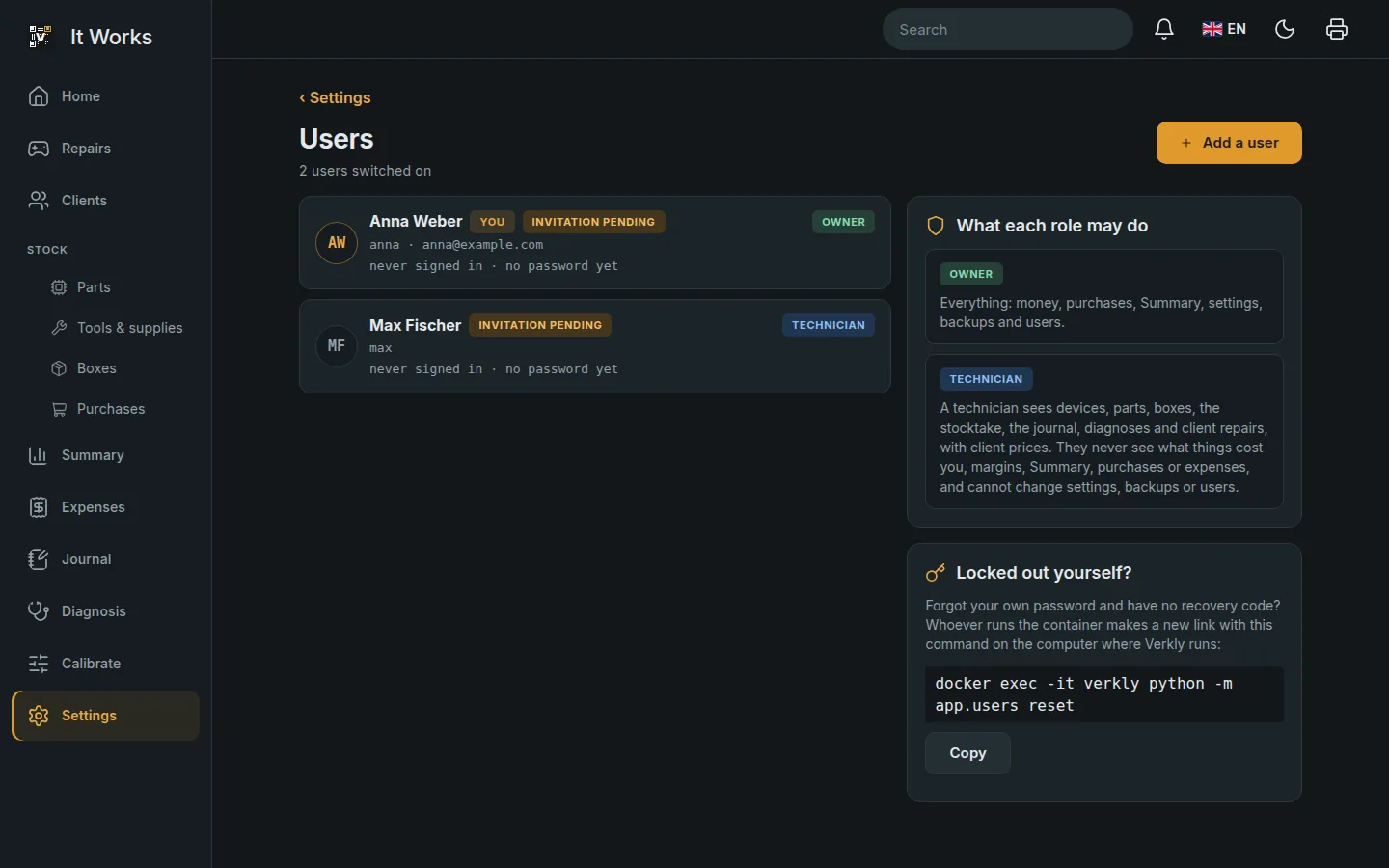
Owner and technician
An owner may do everything: money, purchases, Summary, settings, backups and users. A technician works on the bench: devices, parts, boxes, the stocktake, the journal, diagnoses and client repairs, with the clients' prices and estimates. A technician never sees what things cost you, margins, Summary, purchases or expenses, and the answers reach their browser without those numbers, not just hidden. They can't record a sale or a payment, set repair prices, move a device between your own and a client's, change settings, backups, users or keys, import or export CSV; their labels carry no price. Several owners are fine, each with every right; the workshop never ends up without an active owner.
Adding a user
Add a user: login (letters, digits, . _ @ -), the shown name, the role, optionally an email. Add and
make a link shows a one-time link, good for 72 hours: the new user opens it, sets a password (at least 10 characters, twice)
and is signed in; then the app offers the authenticator. With an email, and email set up, the link
is mailed too; you still see it to pass on yourself. The login never changes once a password is set.
A user's name and email have their own Save button. The role, switches and ticks save as they change, and a small note, “Saved as they change”, says so.
A forgotten password
On the user's card New password link makes a reset link (24 hours; mailed as well when the user has an email), with a tick to also remove the authenticator when the phone is lost. Nobody is signed out by making it; setting the new password from it ends every session of that user and opens a fresh one. Locked out yourself with no other owner around? Whoever runs the container makes the link on the machine where Verkly runs:
docker exec -it verkly python -m app.users reset <login> [--no-2fa]Users shows the exact command for your container, with a Copy button. On a Synology, open the container's terminal in Container Manager. A hosted workshop uses Forgot your password? on the sign-in screen instead.
Switching someone off
Switch off on the card ends that user's sessions and refuses their sign-in, keeping everything they did; Switch on brings them back. Your own role and switching yourself off are for another owner, so the page doesn't offer them to you. Switch off and changing a user to Technician ask first. While sign-in is off, Users says that users and roles do not apply yet.
Who did what
With more than one user, a device card says who set its status, who used each part and who wrote each journal entry. Repairs leads with the chips Mine and Unassigned, and every card has Who works on it and a timer per person (The device card).
Each person's sign-in
Settings → Sign-in & security is per person: how well you are guarded, the password, your passkeys (never the last way in), the authenticator, your recovery codes, and your sessions with sign-out everywhere. A passkey is named after the device it was made on. The recovery email and the email set-up belong to the workshop, so an owner keeps them. Setting them up the first time is in First steps; a forgotten password in Questions. Single sign-on, the trusted proxy header and API tokens: Sign-in, SSO and API; a user signed in through SSO shows "SSO linked" here, with Unlink SSO.