
Client repairs
Someone else's device, fixed for a fee and handed back. Take it in from Home → Take in a device, or from the Repairs tab (a client's card has the same button): the client's name, phone and email, what came with it, the access code to test it. It gets a KL- code and its own statuses: on the way → in the queue → accepted → diagnosing → awaiting parts → in repair → ready → returned. Taken in on the wrong side? The Details tab moves a device between your own and a client's, and back; the code follows and the old one still opens the card. A device that came with a purchase, a donor or one still on the way can't move: the button is greyed out and says why (for a purchase, with a link to it).
The client's card on a phone
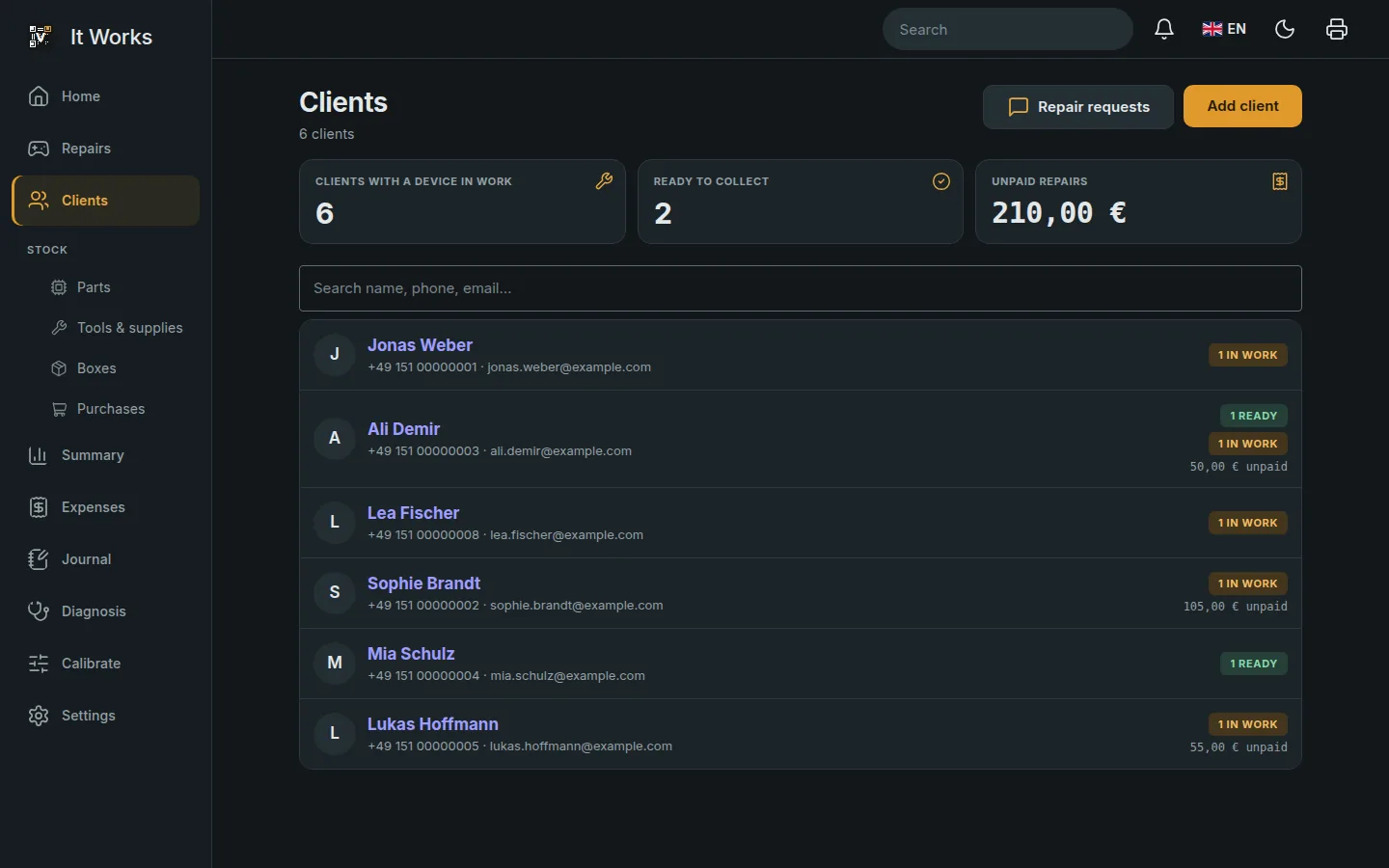
A client's card opens on their devices in work, with a Call, Email and WhatsApp row beside the head. Each device row shows its serial number, its fault and how long it has been here. The contacts come after the devices.
In work and Handed back show each device's photo, the same shot as in Repairs, or a grey tile when there is none. A tap on the row opens the card. A very long client name wraps instead of running off the screen.
On the way and in the queue
A client has called, but the device isn't with you yet, or it is here but no master can start on it today? New device asks Where is it now: Here, taken in, Here, waiting in the queue or On its way from the client; the card's status offers the same. On the way means it hasn't arrived: Verkly asks no box for it. In the queue means it is here and waits for a master: it goes into a box like any device and the card counts the days it has waited. Either one left too long shows as stood still, and Home counts both. The card's next step moves it on: It has arrived puts it in the queue, Take it in moves it to Accepted. The client's page shows the first step as "On its way to us" or "In the queue".
The client has agreed to send it but hasn't yet? Pick The client will send it, not sent yet on New device, or Not sent yet in the card's status. Like On the way, it needs no box; it shows as stood still when forgotten and Home counts it. The client sent it moves it on to On the way. The client's page says "Waiting for you to send it".
A client's device counts its days in the workshop from the day you take it in, not from the day you entered it while it was still on its way or in the queue.
How it came
Under Fault and intake, How it came notes whether the client brought the device in person or sent it By post, and Shipping what posting it costs. The Money tab then says "Came by post · shipping …". It is information only and never enters the margin. A repair request accepted with "post" fills it in.
When you pick By post under How it came, two more fields appear on New device, Device details and Take in several: Carrier and Tracking number. The carrier list is yours: choose DHL, DPD, Hermes, UPS or Post, or add your own with + New carrier… (any name, such as СДЭК or Почта России). The card shows both, the tracking number can be copied, and the devices file (CSV) carries them.
The client's status page, their answers to a price, WhatsApp and Telegram, signatures and repair requests through your own link: Talking to clients.
Taking in several devices at once
A client brings seven controllers: use Take in several, beside Add device on Repairs and on the client's card. The print button follows the printer state, and the ✕ on a device you have typed into asks first.
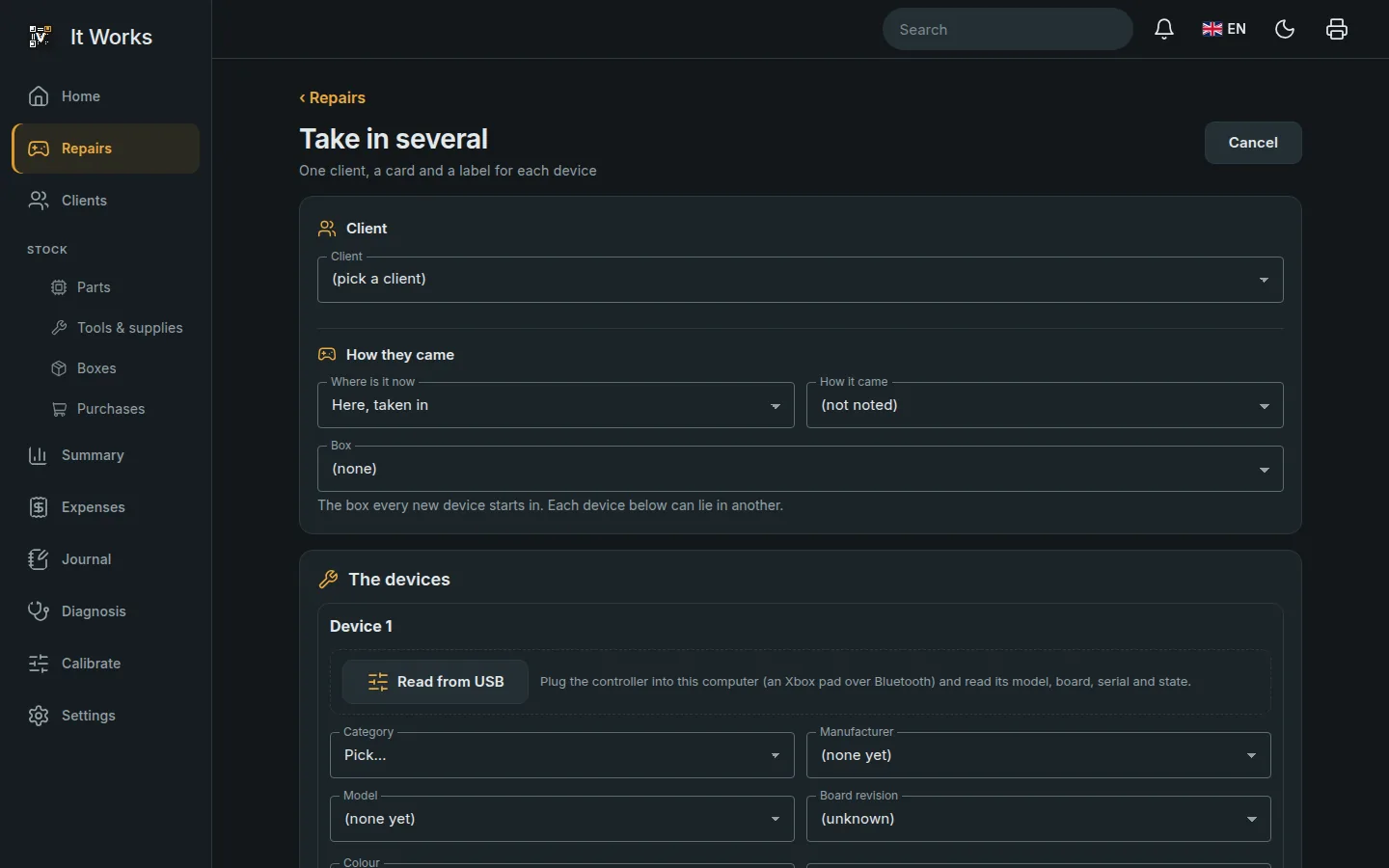
- Pick the client once: from the list, or + New client… with their phone and email.
- Set Where is it now, How it came and the Box the new devices start in.
- For each device, fill the same fields as when you take in one device: Category, Manufacturer, Model, Colour, Serial number, Fault and Came with. For a controller, Read from USB fills the model and the serial number. Each device can lie in its own box, and you can add photos of the device. Add another starts a new row like the one above it.
- Press Save, or Save and print labels.
It is all or nothing: if one row is wrong (no category, a box that doesn't exist), Verkly says which device and makes none. Then it asks Receipt and signature: one receipt for all of them, with the client once, each device with its fault, its price or estimate and its own link and QR to follow the repair, and one signature that goes on every card.
Waiting to be sent
A repaired device that goes back by post waits in Waiting to be sent. On a device that came By post the card's next step after Repair done leads there; for any other you pick it in the status. Sent to the client finishes it like a hand-back: the warranty starts that day. It stays in its box until then, Home counts the devices to send, the client's page shows "Repaired, waiting to be sent", and Workshop & documents → Tell the client has a switch for it.
The receipt
The card's Receipt is an A4 page to print or save as PDF: your workshop, the client, the device, the fault, the estimate, the warranty terms, a QR to follow the repair, and two signature lines. A signature taken on the phone at intake prints over the client's line (Signatures).
After you take a client's device in, Verkly asks Receipt and signature. It opens the receipt, where Sign on the phone lets the client sign on the screen. Open the card skips it.
A receipt, an invoice, a self-made receipt, a client invoice and the year summary each have one way back at the top: to the card, the client or Summary. Their buttons are led by Print or save as PDF and Sign on the phone, and More holds the rest.
Prices
Each sheet item carries a price or a range; tick the faults on a client's card and the estimate adds up as you go, Use €x makes it the repair price. The sheets, their prices and a part's way to the device: Diagnosis and prices.
The price follows the estimate until you type one: each priced line of the diagnosis is a service, and the repair price is their total. To set it yourself, press Change beside Repair price on the card's Money tab (or edit it under Details); leave it empty to follow the estimate again.
Services
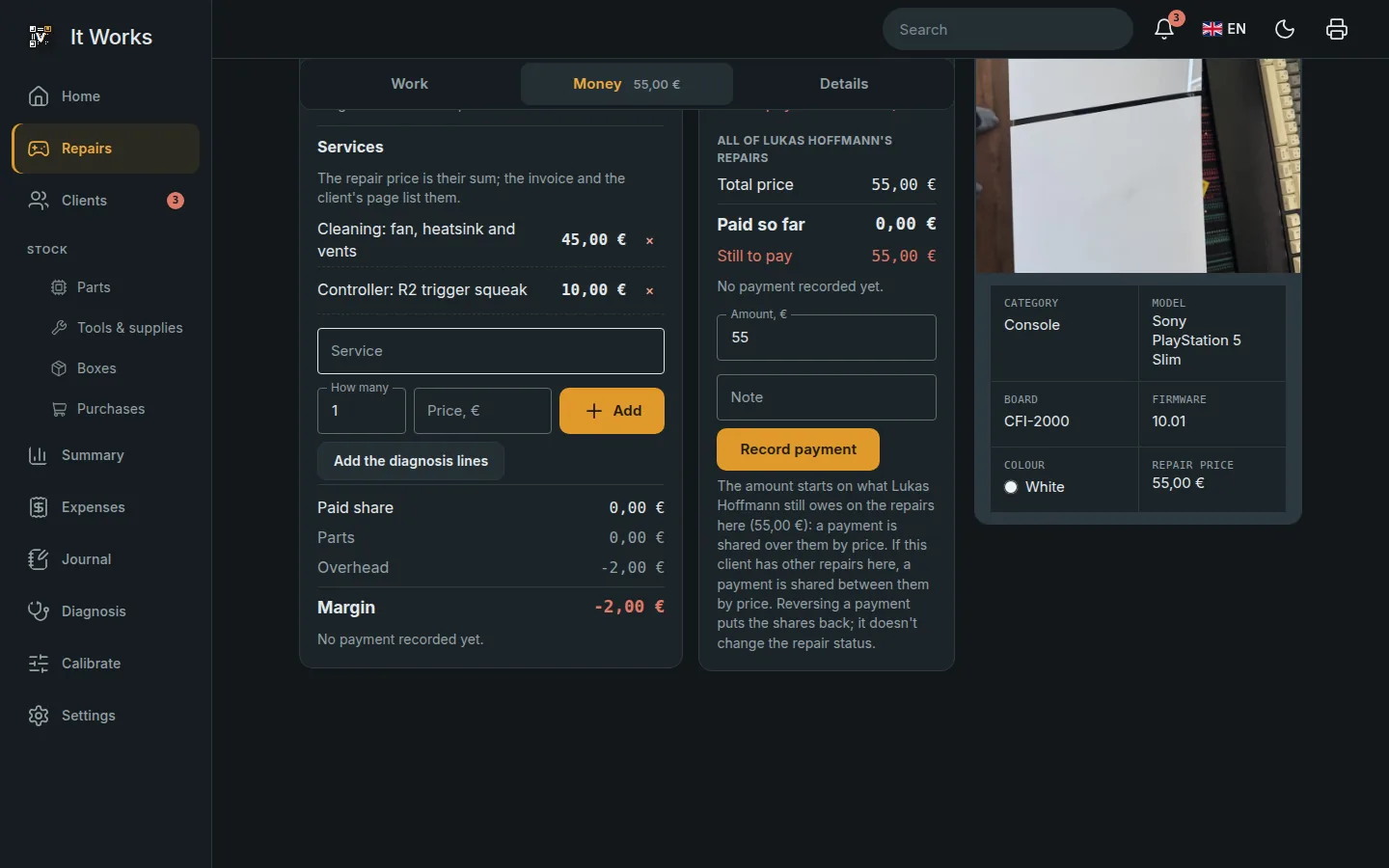
When the work is more than one job, list it: the Money tab of a client's card has Services. Add each with how many and its price (Stick replacement, 2 × 12,50 €; Cleaning, 20 €), and the repair price becomes their sum; more work turns up, add a line. Tap a line's name to change it, × to remove it. Add the diagnosis lines brings the diagnosis's priced lines over (a range at its upper end). While there are lines the price can't be typed; without them it follows the estimate again. The invoice, the e-invoice and the client's page list the services line by line, and a new total asks the client to approve the price again.
The client's page
Every client repair has a secret link (on the receipt as a QR): the status in five steps (Received, Diagnosis, In repair, Ready to collect, Collected) with your note for the client under them, the price, what is paid, the warranty, and the journal entries you mark Show to the client with their photos; a video of the fault can be shown there too. Never your notes, the access code or other clients. Email it to … on the card sends it, and a repair turning ready emails "ready to collect" by itself; how mail goes out and where that switch is: Email.
A client's device has Client page among the actions at the top of its card: the link, its QR, Copy, Email and WhatsApp.
Payment and the invoice
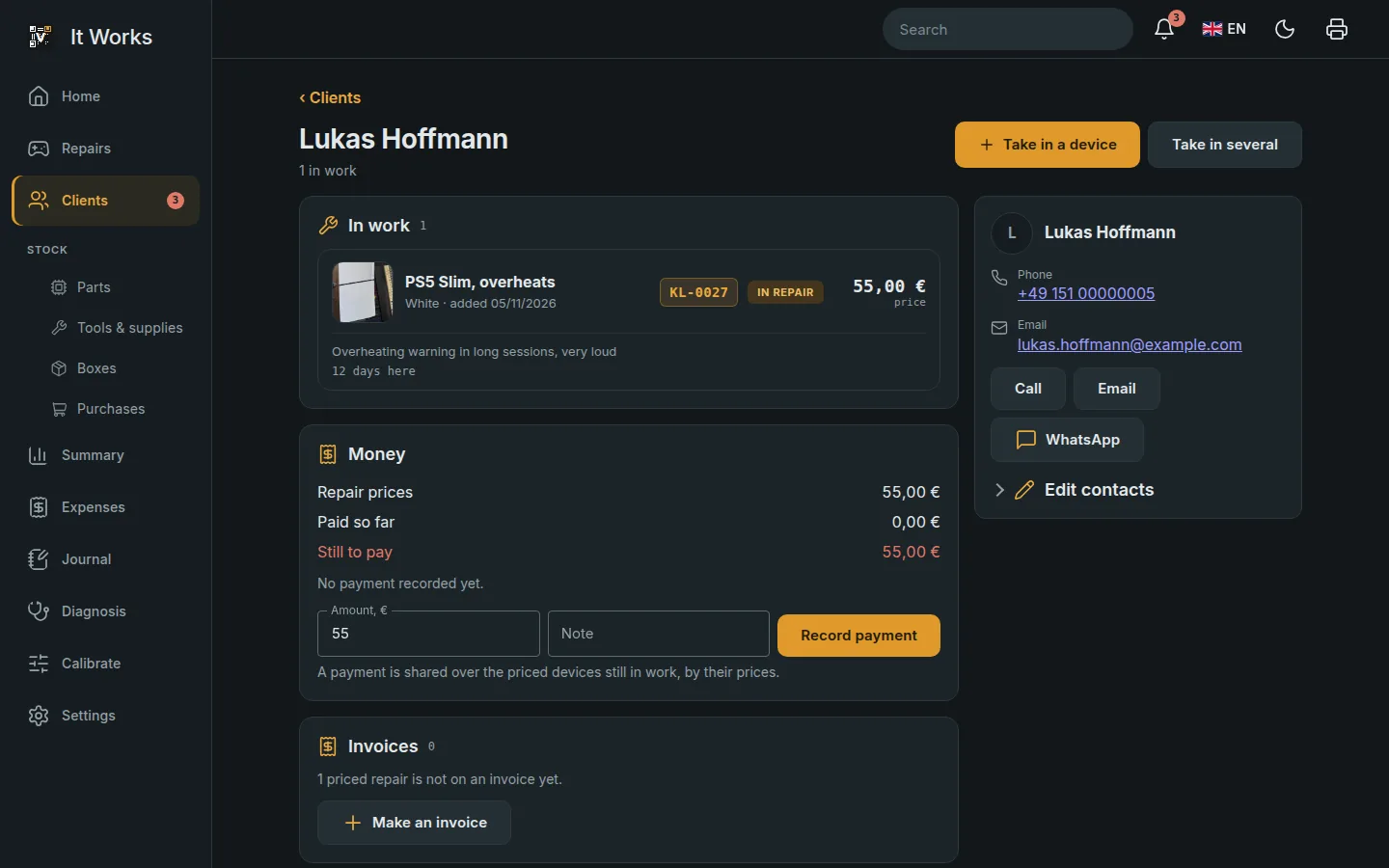
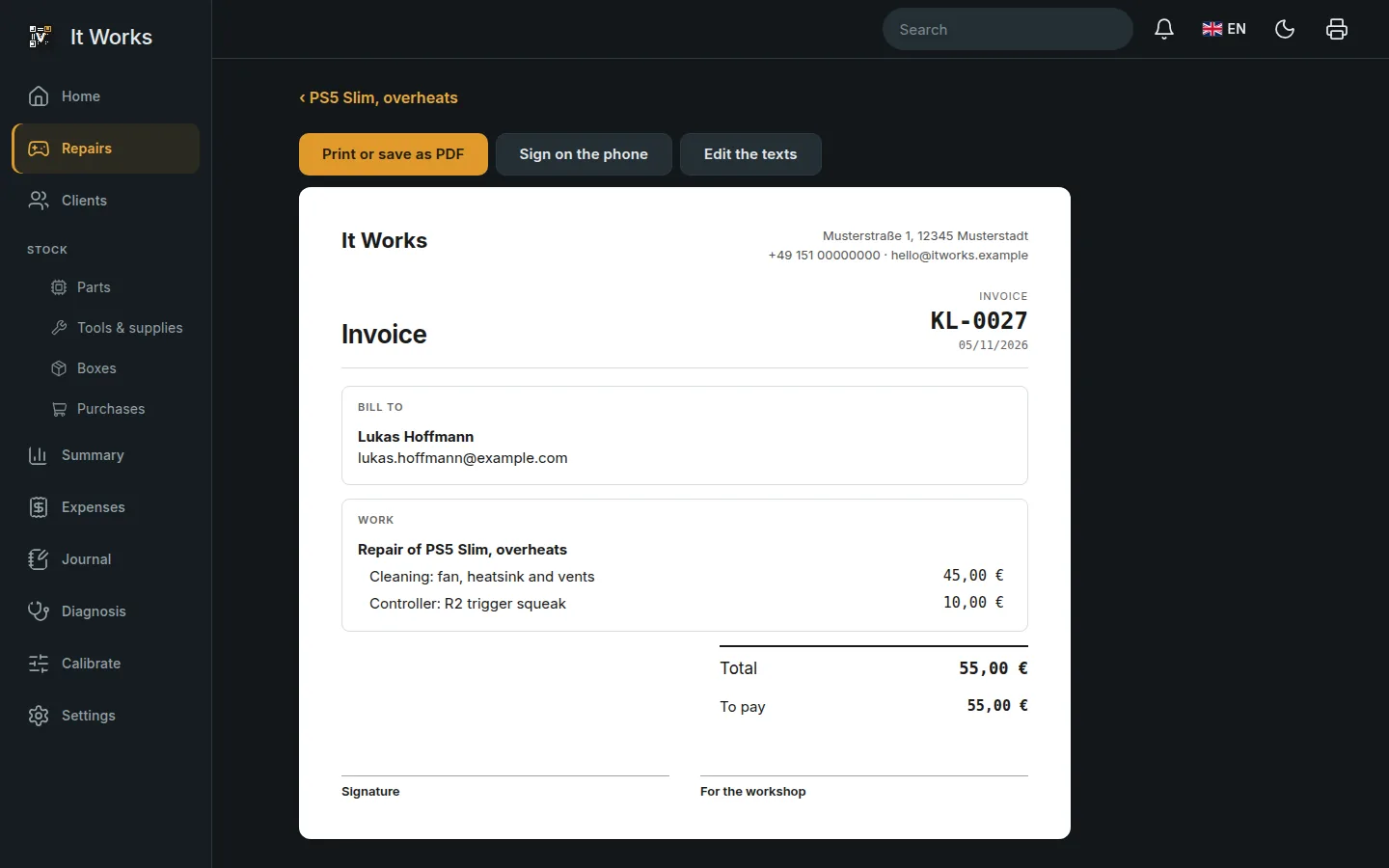
Record what the client paid; a lump sum for several devices is spread over them by their prices. Invoice makes an A4 invoice with what was done; tax on it and an e-invoice are experimental (Year end and your accountant). Returned starts the warranty (90 days by default). The warranty days and every word of the receipt and invoice: Workshop and documents.
A repair's Payments block says Total price, Paid so far and Still to pay. Handing a repair back (Returned) with part of the price unpaid does not decide for you: Verkly says how much is not paid yet and asks. Record the payment takes the amount (it starts at the rest) and books it. Forgive the rest lowers the price to what was paid, a discount; Undo in the message that follows (about 8 seconds) puts the price back. Not yet hands it back and leaves the rest owed. Where the payment lands depends on the client: if this is the only repair of theirs that is still open with a price, the payment is recorded first, then the hand-back. If they have other repairs here, a lump payment would go to those too, so Verkly hands this one back first and then offers Record the payment on an invoice: an invoice for this repair alone, so the money lands on it. Forgiving is not offered when the price is the sum of service lines or the repair is on a client invoice; the hint says what to do instead. A lower price keeps the client's approval; a higher one asks them again. A handed-back card that still shows Price less paid offers the same two choices (Forgive the rest and Record the payment on an invoice, or Open invoice {n} when it is on one). Only the owner sees these. After the hand-back, Verkly asks Invoice and signature: it opens the invoice, where Sign on the phone takes the client's signature for the hand-back. The block leads with This repair (price, paid, still to pay); the client's totals follow under All of {name}'s repairs. A gap on a handed-back repair reads Price less paid, except while the repair sits on an unpaid client invoice, where it stays due. The Clients list and the card's Still to pay use the same rule. A new message from the client shows as a notice on the client's card. A repair already on a client invoice says so on its own invoice page, with a link: send only one of the two papers.
On the invoice page of a repair that is on a client invoice, Verkly says "This repair is on invoice {number}" with Open it (for the owner). That page offers no Print, Sign on the phone or e-invoice of its own: send the client invoice instead. An invoice for a repair with no price is an amber notice with Set the price, and there is no signature until it has one. Record payment starts on the amount still to pay: on a client's card the sum owed on their open repairs, on a device card the same sum with a hint saying so.
One invoice for several repairs
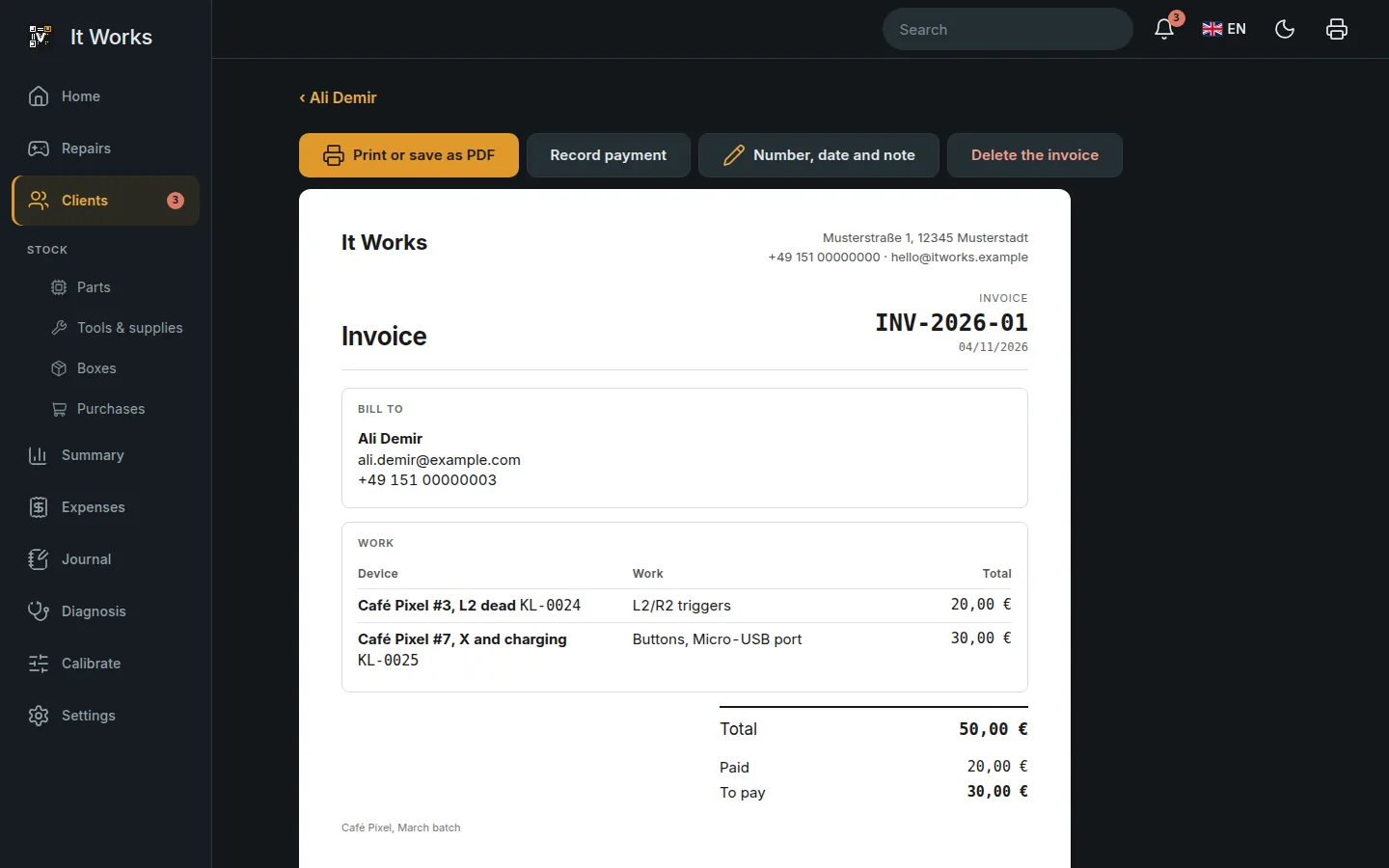
A shop that sends you a batch gets one invoice for all of it. On the client's card, Invoices shows how many priced
repairs are not on an invoice yet; Make an invoice lists them ticked, with what was done and the price, and the sum.
The Invoice number is filled in from your pattern: Change the pattern takes {YYYY} (the year),
{YY}, {MM} (the month) and one counter {NN} (as many N as digits, starting again each year),
so GF-{YYYY}-{NN} gives GF-2026-03. You can also type any number that isn't taken.
The invoice keeps each repair as it was when you made it: code, serial, what was done and the price, so a later change on a card never alters a paper you sent. Record payment on the invoice shares the money over its repairs, by what is left on each; the card's list shows what is still to pay. Number, date and note changes those; Delete the invoice frees its repairs for another one (payments stay recorded).
Not fixed
When a repair can't be done and the device goes back as it came, set the status to Not fixed. It leaves the work like Returned, takes no part of a payment and needs no box, but starts no warranty; the client's page says "Handed back, not repaired". If it still has a price, Verkly asks what to do with it: Charge it (like a diagnosis fee; with other open repairs of the client it reads Charge it and make an invoice), Take nothing (the price becomes what was paid) or Decide later.
Back under warranty
When a handed-back repair comes back, open its card and press Warranty return. Verkly asks What is wrong now? and opens a new card of the same client and device (model, serial number, colour) at no charge: its price is 0 and no payment goes to it. The two cards link to each other, and a warranty tag marks the new one in the list.
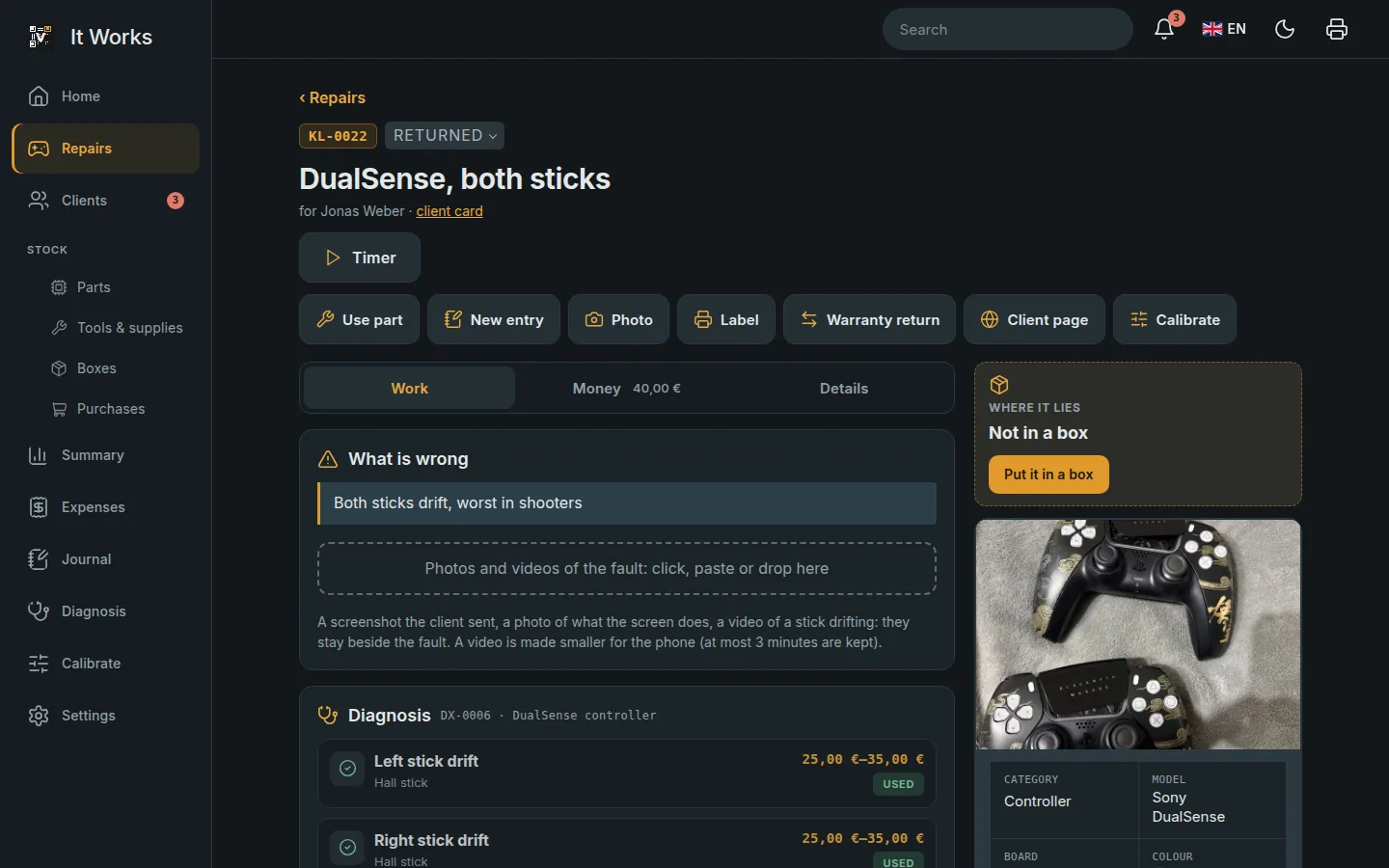
If the warranty has ended, or the repair had none, Verkly asks Take it back free anyway? first. Say Take it back and it counts as goodwill: the card says so, and the parts you use on it are your cost. The receipt of such a card says "Warranty: no charge". When you hand it back it gets a new warranty of the usual length.
Summary shows how often this happens: see Warranty on Summary.
A device nobody collects
A repaired device that has been Ready for 14 days is flagged. Change the number under Settings → Money and rules → Not collected; 0 switches it off. Home shows a Not collected tile, and the tile opens Repairs with only those devices. The card says "Ready for 21 days and not collected" and has Remind the client:
- With an email address and mail set up under Settings → Email, it emails the client. With a Telegram chat following the repair, it messages them there too. The message says which: Client emailed, Client told in Telegram.
- With neither, it opens the Message the client window with the reminder first, to send in WhatsApp or to copy.
The card then shows when the client was reminded, and the journal gets a private entry. The texts are yours to change under Settings → Workshop & documents.
Remind the client by itself, under the same Not collected heading, is off until you switch it on. Every hour Verkly then looks for such devices and reminds each client once, by email and Telegram, for as long as the device stays Ready.