
Labels and boxes
Every thing has a code
RS- your devices, KL- client devices, PT- parts, TL- tools,
SP- supplies, BX- boxes. A label carries the code and a QR with the card's web address: the phone's own
camera opens it, signed in or not (then it asks you to sign in).
The printer
Labels print five ways: a Brother P-touch on the network, Verkly Bridge on a computer the printer is plugged into, USB on the NAS, the phone or Mac in your hand over USB, or on paper with any printer. Pick yours on Settings → Printer & labels, where you also choose what goes on the label (QR, barcode, both) and the layout per kind of label. Tape, copies, batch printing and what to do when nothing comes out: Printing labels. A Supvan Katasymbol E11 prints over Bluetooth from Chrome or Edge (experimental).
Small bins and SMD boxes take micro labels: 9 mm tape with a Data Matrix, at most 22 mm long (Micro labels).
Boxes, drawers and bins
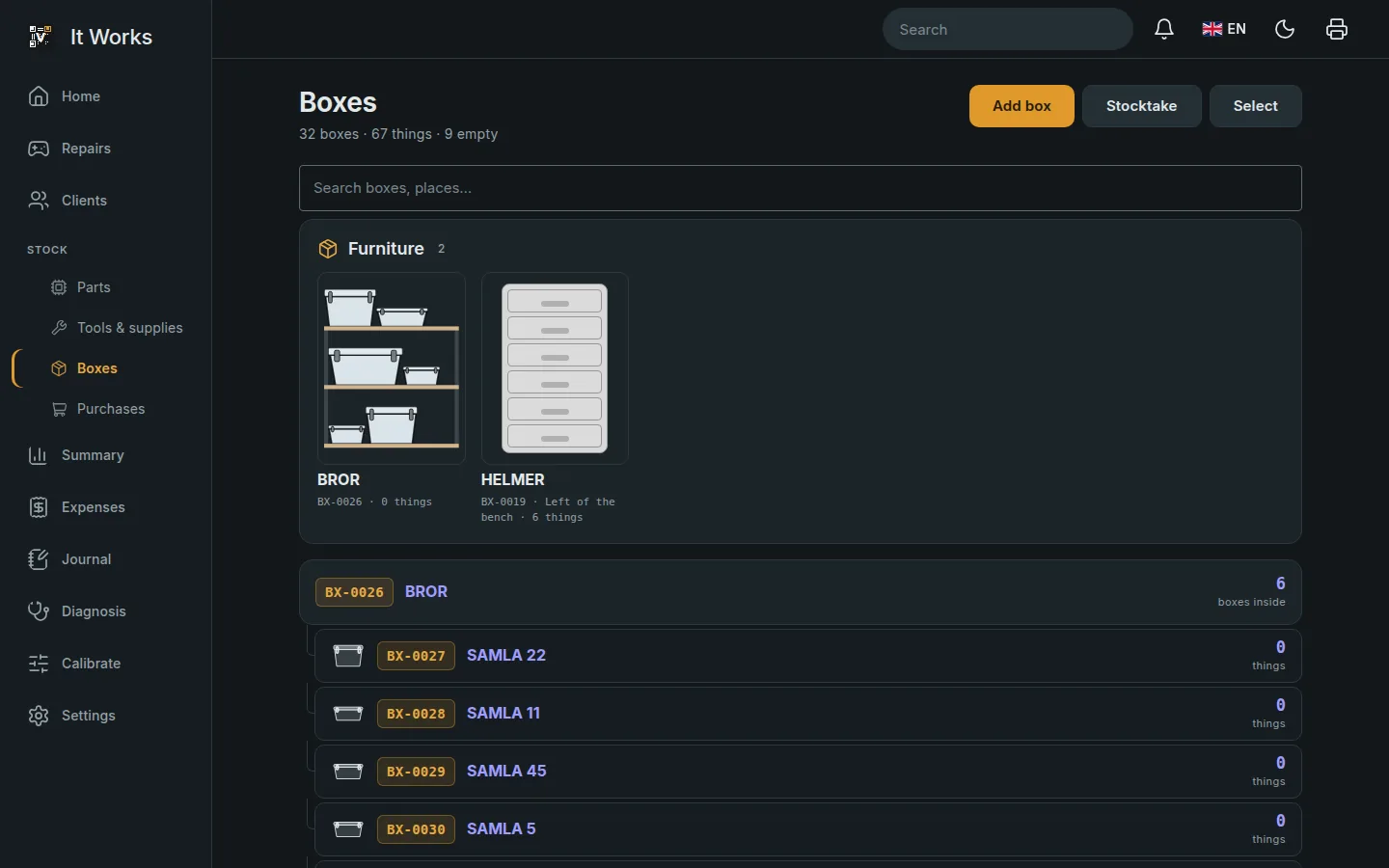
A box can hold boxes: a desk holds drawers, a drawer holds gridfinity bins, and every device, part and tool can lie in one of them; its card says where: Desk › Drawer 2 › Caps (A1). Furniture drawn from the front (HELMER, BROR, PLATSA, your own types), IKEA boxes as types, gridfinity maps, layers and dividers: Boxes and furniture.
Scanning in and counting
Scan labels into this box moves things in one label after another; Count this box checks what is really there and never changes money; Stocktake lists the boxes never counted and the things in no box. How each works: putting things in and counting.